Sharper details
Fine textures, lighting, and small visual details are easier to render cleanly.
Create a new image from text or edit one reference image with GPT Image 2.5. Choose Flare when you want to move quickly, or Sunburst when you want more control over details.
Start your way
Describe something new, or upload one image and tell Ikat what you want to change.
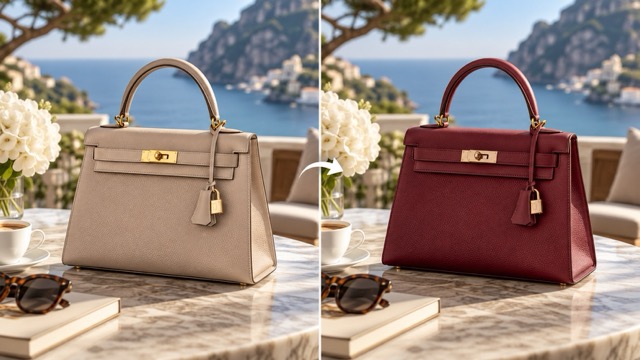 Reference image example
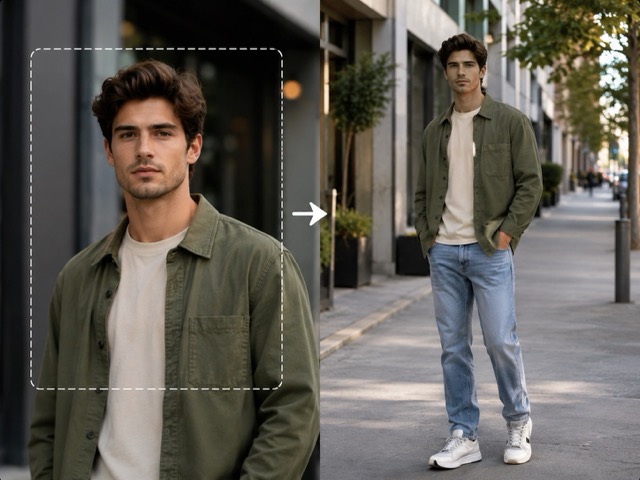 Reference image example
GPT Image 2.5
GPT Image 2.5 can create a new image from text or edit an image you upload. In Ikat, Flare is the faster option for trying ideas, while Sunburst gives you more control when details matter.
What changed
Fine textures, lighting, and small visual details are easier to render cleanly.
Edits are better at keeping the person or object you uploaded recognizable.
The model is better at changing the part you asked for without unnecessarily changing the rest.
You can refine an image across multiple edits with less drift from the original direction.
Flare vs Sunburst
Faster for trying ideas
Not sure which one to choose? Start with Flare. It is faster and works well when you want to explore several directions.
More control when details matter
Choose Sunburst when preserving details and controlling the result matter more to you than speed.
Available in Ikat
Next step
FAQ
Start with Flare when speed matters. Choose Sunburst when important details or tighter control matter more than generation time.
Yes. Upload one reference image and describe the change. If something should stay the same, say so in the prompt.
Ikat currently accepts one reference image for each GPT Image 2.5 generation.
Ikat currently generates one 1K image per request. The available aspect ratios are shown directly in the generator.
A successful GPT Image 2.5 image currently uses 5 Ikat Credits. The cost is shown before you generate.
Yes. Keep the completed image in Ikat, use it as the reference for another image edit, download it, or send it to Image to Video.
Start from text or one image, choose Flare or Sunburst, and create your next image in Ikat.
Create with GPT Image 2.5